Build guide
LilyGo, ADS1115, O2-cell wiring, assembly, and first test.
Open build guide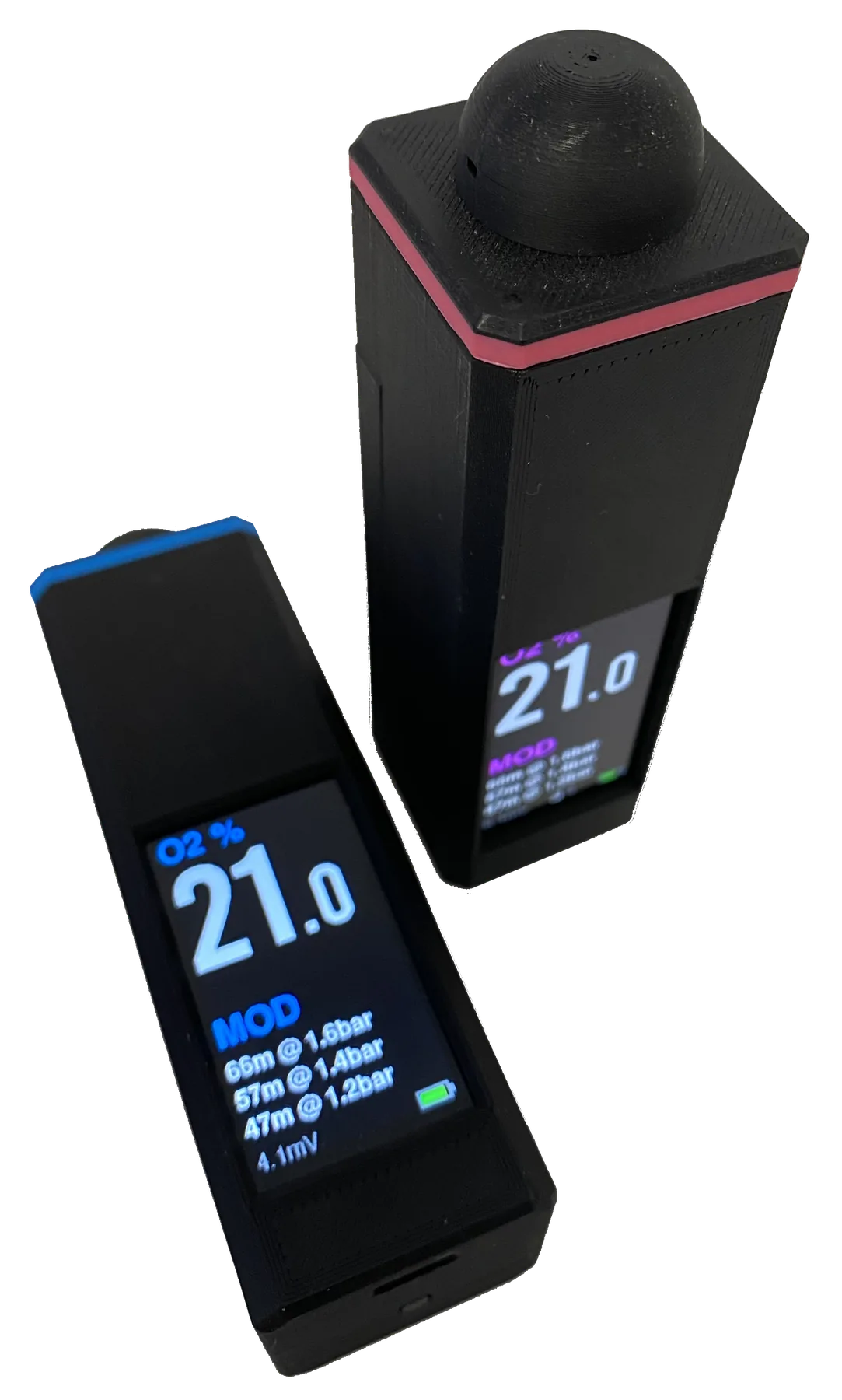
DIY firmware and case for divers
Build your own compact ESP32-S3 oxygen analyser, reuse a galvanic O2 cell you already trust, and print cylinder labels over Bluetooth. No coding experience is required: the firmware installs directly from this website in desktop Chrome or Edge.
Available now
The public firmware installer is open. Flash it to a supported LilyGo T-Display S3, finish the build, and use the local Web UI to find the 12-character Device ID. Email that ID when you are ready to purchase the licence for your board.
Install the firmware now. When you want to unlock it, send the Device ID shown in the Licence section.
Open USB installer Request licence by email Online card payment is not enabled yet.Build yourself
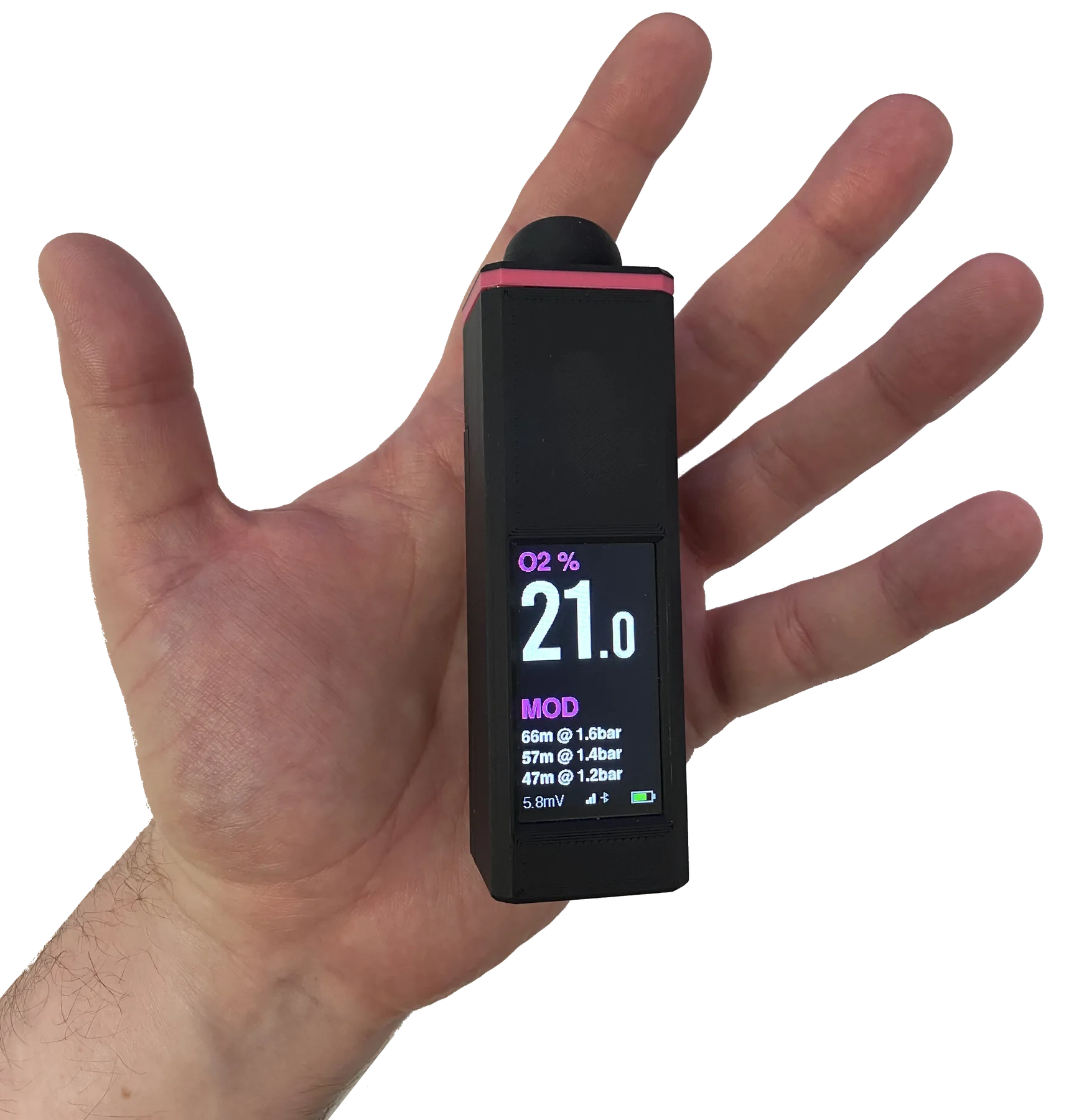
This is for divers who are comfortable assembling their own kit. Print the housing, assemble the case around a LilyGo T-Display S3, wire the ADS1115, and connect a galvanic O2 sensor cell you already have or can source separately. The software side is ready to flash from this website.
Measure and calculate
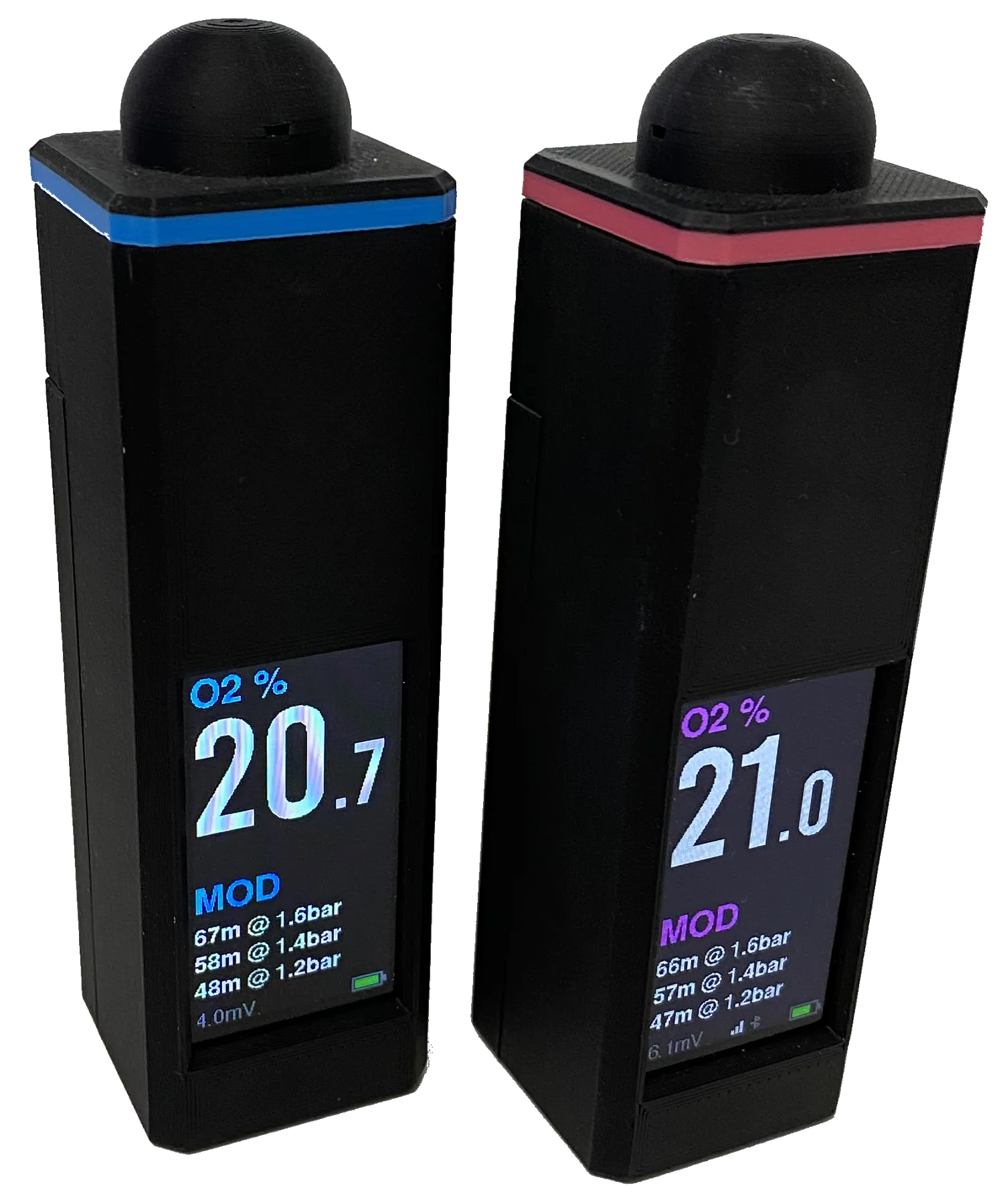
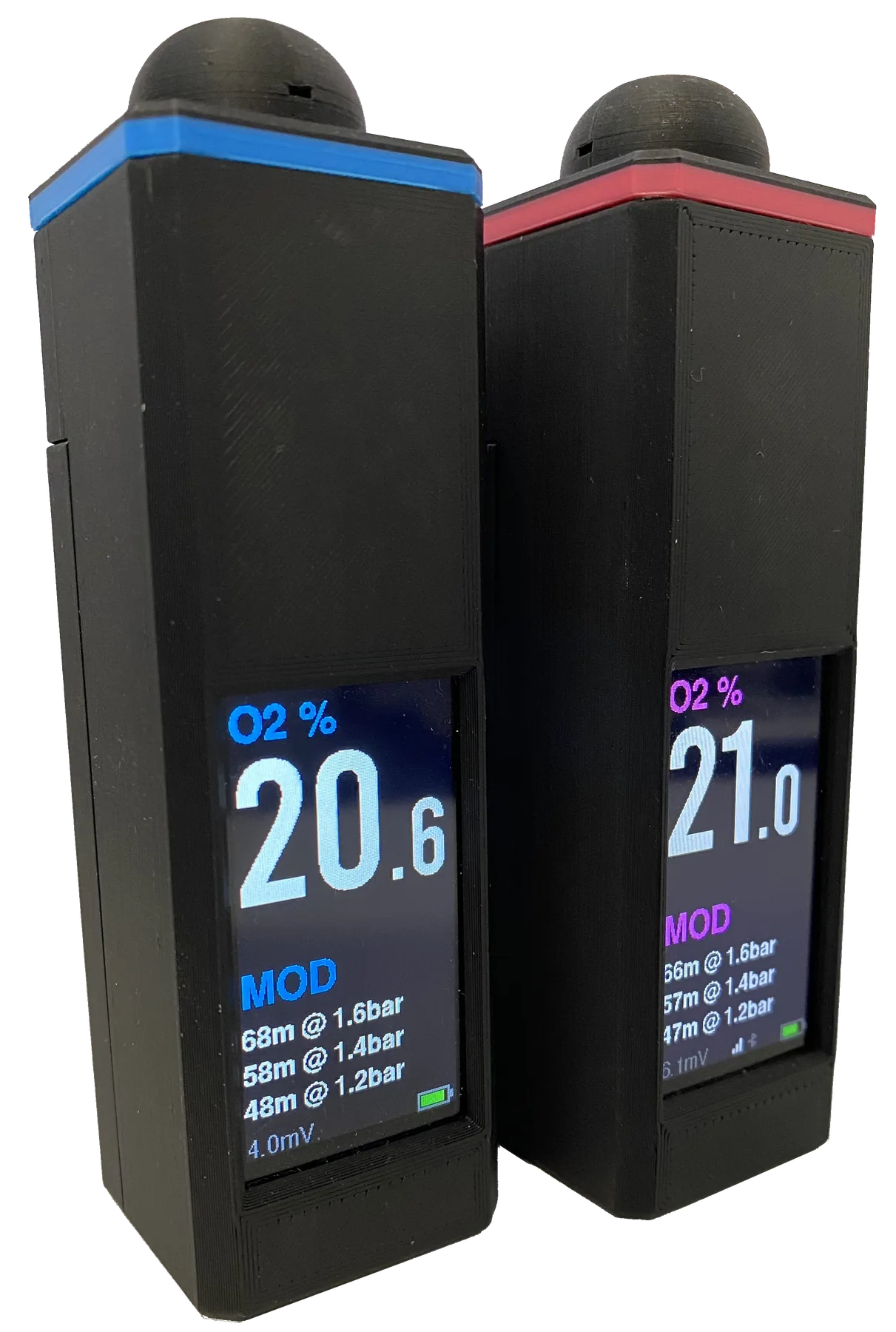
The firmware reads the oxygen cell through the ADC, shows the current oxygen percentage, and calculates MOD values for common pO2 settings directly on the colour display.
Bluetooth label printing
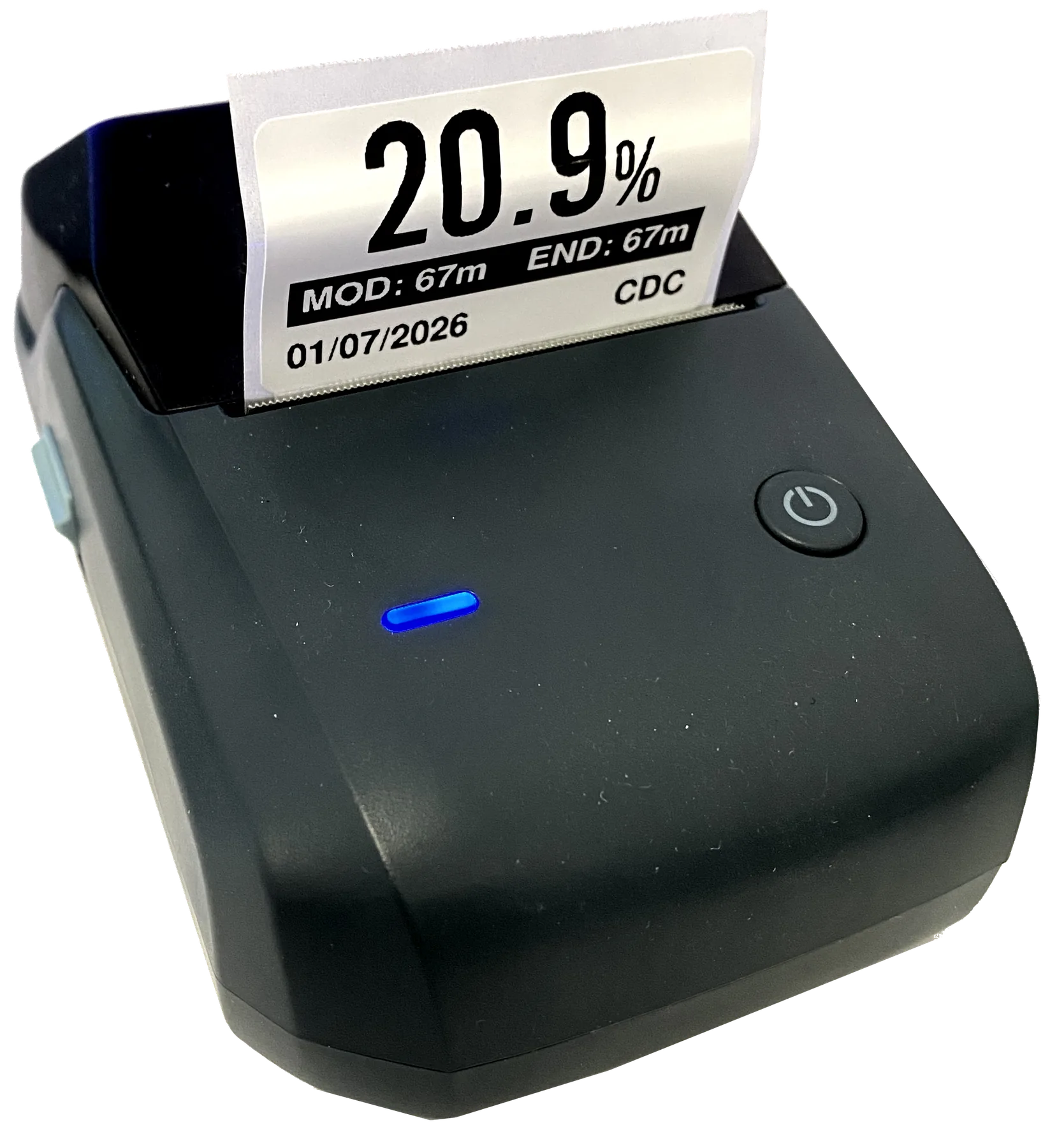
Pair a supported Niimbot B1 or B21 printer and the analyser can print a gas sticker with O2 percentage, MOD, END, date, and owner name. It keeps the bench workflow simple: analyse, confirm, print, stick the label on the cylinder.
Device Web UI
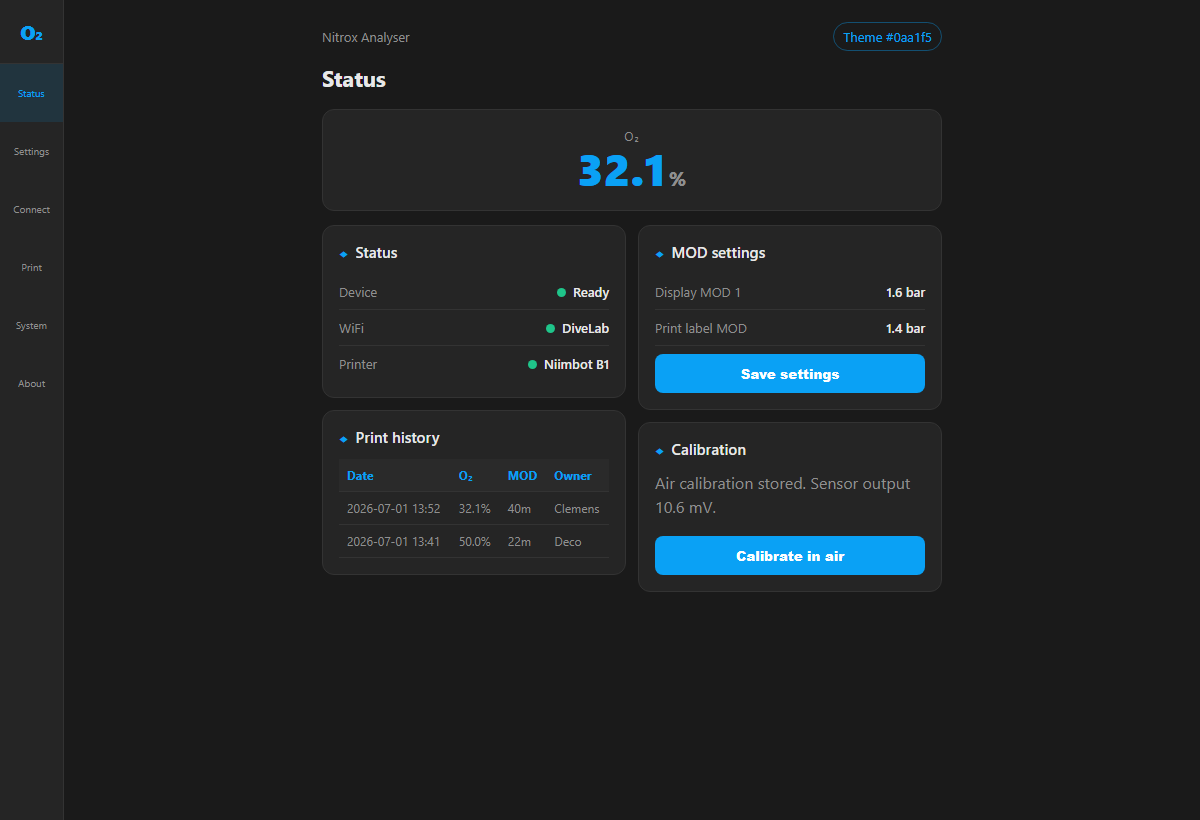
The local Web UI uses the same blue theme as this site and gives you access to live O2 readings, calibration, MOD settings, owner names, print history, WiFi, OTA updates, diagnostics, and licensing.
Shopping list
We provide firmware, documentation, and the supplied case file. You source the electronics, reuse or buy a suitable oxygen sensor cell, solder the analyser, flash it over USB from the website, and verify it against known gases before diving. You do not need to compile code or install developer tools.
| Qty | Part | Purpose |
|---|---|---|
| 1 | LilyGo T-Display S3 | ESP32-S3 board with TFT display, USB-C, battery charging, and PMU. Buy the bare board without fitted pin headers and without a housing so it fits the printed enclosure. |
| 1 | ADS1115 module | 16-bit ADC for reading the low-voltage oxygen cell signal. |
| 1 | Galvanic oxygen sensor cell | R-17D, R-22D, or equivalent cell suitable for your analyser design. |
| 1 | 3.7V LiPo battery with a 1.25 mm plug | Use a single-cell battery whose 1.25 mm connector and polarity match the LilyGo battery socket; typically 500–1000 mAh. |
| 1 | Square tactile momentary push button, 6 mm high | Small solderable button for the one-button menu and print control. |
| 1 each | 22k and 10k resistors | USB detection voltage divider. |
| 12 | 6x3mm neodymium magnets | Magnetic closure for the printed housing. |
| 1 | O2-cell connector matched to your cell | Provides a removable, strain-relieved connection from the galvanic cell to ADS1115 A0/A1. |
| As required | M2 machine screws and M2 heat-set inserts | Secure the printed housing; use the quantity and screw length specified by the released housing revision. |
| 1 set | Printed housing parts | Printed body, cover, and the small housing parts supplied with the design. Link coming soon. |
| As needed | Short insulated wire and heat-shrink | Sensor, ADS1115, button, and divider wiring with strain relief. |
| Optional | Niimbot B1/B21 printer | Bluetooth gas label printing. |
Tools
Soldering iron, multimeter, heat-shrink, wire cutters, USB-C cable, and a printed case.
Skill level
Flash via the website, assemble the case, solder a few wires, calibrate, and verify against known gas.
Assembly and soldering
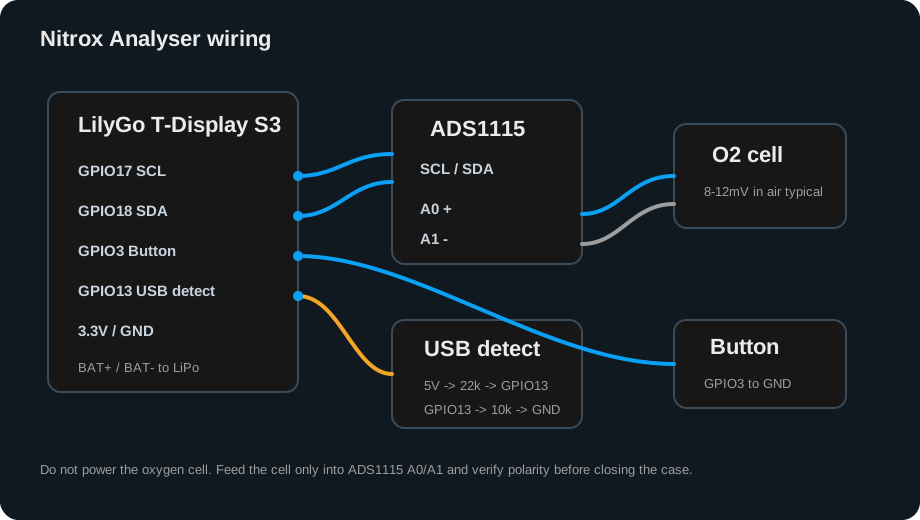
Keep sensor wiring short, strain-relieved, and away from noisy power leads. The oxygen cell is a tiny millivolt source, so check polarity before soldering and verify the reading in air before closing the case.
| Connection | LilyGo / module pin | What to solder |
|---|---|---|
| O2 cell + | ADS1115 A0 / AIN0 | Positive oxygen cell signal to ADS1115 A0. |
| O2 cell - | ADS1115 A1 / AIN1 | Negative oxygen cell signal to ADS1115 A1. |
| ADS1115 power | 3.3V and GND | Power the ADC from 3.3V only, with common ground to the ESP32. |
| ADS1115 I2C | GPIO17 SCL, GPIO18 SDA | Connect ADS1115 SCL to GPIO17 and SDA to GPIO18. Tie ADS1115 ADDR to GND. |
| Button | GPIO3 and GND | Momentary push button to ground; firmware uses the internal pull-up. |
| USB detect | GPIO13 | USB 5V through 22k to GPIO13, then 10k from GPIO13 to GND. |
| Battery | BAT+ and BAT- | Single-cell 3.7V LiPo connected to the LilyGo battery connector or pads. |
Wiring diagram
Common galvanic oxygen cells such as R-17D, R-22D, or compatible analyser cells are supported when they produce a small millivolt signal. Check cell polarity with a multimeter, expect roughly single-digit to low-teens millivolts in air for many cells, and never power the cell.
Printed housing
The case is designed around the LilyGo T-Display S3, ADS1115 module, O2-cell connector, M2 heat-set inserts, and magnetic closure. Link coming soon.
Link coming soon.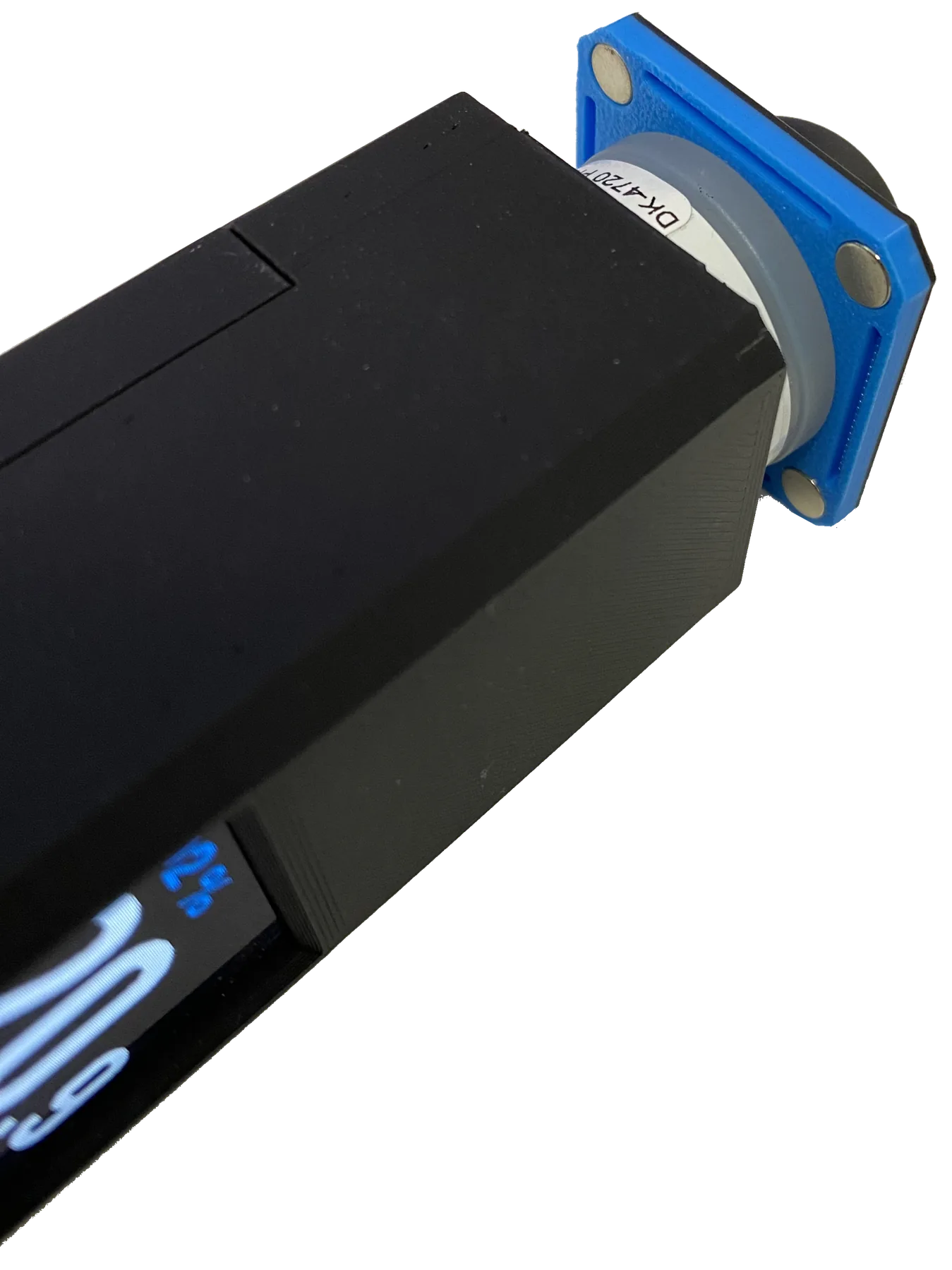
Reuse what you have
The intention is not to sell another closed analyser box. It is firmware, a printable housing, and a simple build path for people who already have oxygen sensors, printers, ESP32 boards, or the confidence to source them.
Cost before you install
We do not sell the electronics, oxygen sensor, battery, printer, or finished analyser. You source and build those yourself. The Nitrox Analyser firmware licence costs about the price of one twinset Nitrox fill, so know this before flashing and activating the analyser. Install first, then email your Device ID to purchase the code for that board.
Nitrox analyser firmware, Web UI, OTA updates, and Bluetooth label printing.
Install the firmware, open the device Web UI, and email the 12-character Device ID to hello@nitroxanalyser.com. I will arrange payment directly and send the matching activation code. Stripe checkout is not enabled yet.
USB flashing
The installer supports update-only and full-install modes. Update-only keeps saved settings intact. Full install is for new boards, recovery, unknown firmware, or partition changes. Firmware installation does not require a payment step.
Calibrate in clean air using the firmware's 21.0% O2 reference, then compare the finished analyser against a trusted analyser or known gas before relying on it. Repeat calibration and verification whenever you change the cell, wiring, housing, battery setup, or firmware.
Detailed documentation
These pages are available as searchable HTML and link directly to the diagrams and downloadable parts list.
LilyGo, ADS1115, O2-cell wiring, assembly, and first test.
Open build guideSetup, controls, analysis, Niimbot printing, licence, and updates.
Open HTML manualClean-air preparation, pressure and temperature limits, and independent verification.
Open calibration guideSensor, ADC, Wi-Fi, printer, power, activation, and update faults.
Open troubleshootingA spreadsheet-ready CSV with quantities, specifications, and required/optional status.
Download Nitrox BOMBuilt from technical and cave-diving experience
Dr. Clemens Chaskel began this project after finding no market solution that met his practical needs for long-duration cave dives, dives deeper than 100 metres, mixed teams, and complex gas logistics.
More than 30 years of diving experience, GUE Cave 2, CCR 2+, and Tech 2+ qualifications, and a Chartered Engineer's approach shape the analyser, its labels, and its documentation.
About Dr. Clemens Chaskel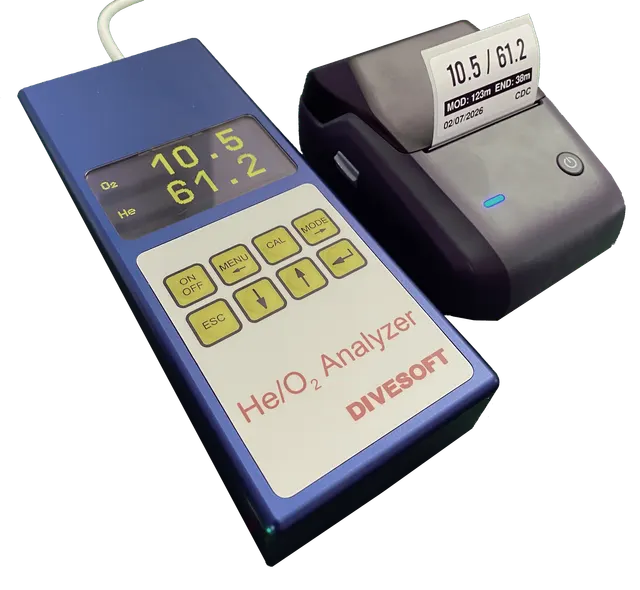
Also available
Many technical and cave divers already love the Divesoft Trimix analyser. This independent ESP32-S3-Zero adapter connects that analyser to a Niimbot printer for seamless analysis label printing, with Nitrox labels included and Trimix labels available through Pro.
This is DIY diving equipment firmware and documentation, not a finished certified commercial analyser. You are responsible for the build, calibration, wiring, and independent verification. Never rely on a single unverified reading before diving.
USB flashing